CUSTOMER STORYTELLING — REQUIREMENTS → JOURNEY → DECK/DEMO → PROTOTYPE → HANDOFF
A customer-ready planning story that turns messy deadlines into clear next actions
Translated workload + deadline constraints into a clarity-first journey, interactive prototype, and deck-ready narrative—so users prioritize faster, schedule smarter, and stay on track.
Designed for rapid iteration with reusable components, edge states, and handoff-ready specs—so teams can ship consistently and scale the system.
Artifacts: Journey map • Process flows • Story beats/deck • Hi-fi mockups • Interactive prototype • Visual specs
Metrics: 8 screens • 10 components • 3 story iterations • 6 feedback loops • 1 demo flow
ROLE
Experience Design (UX)
EXPERTISE
Journey • IA • Prototype • Content system • Design systems
YEAR
2024
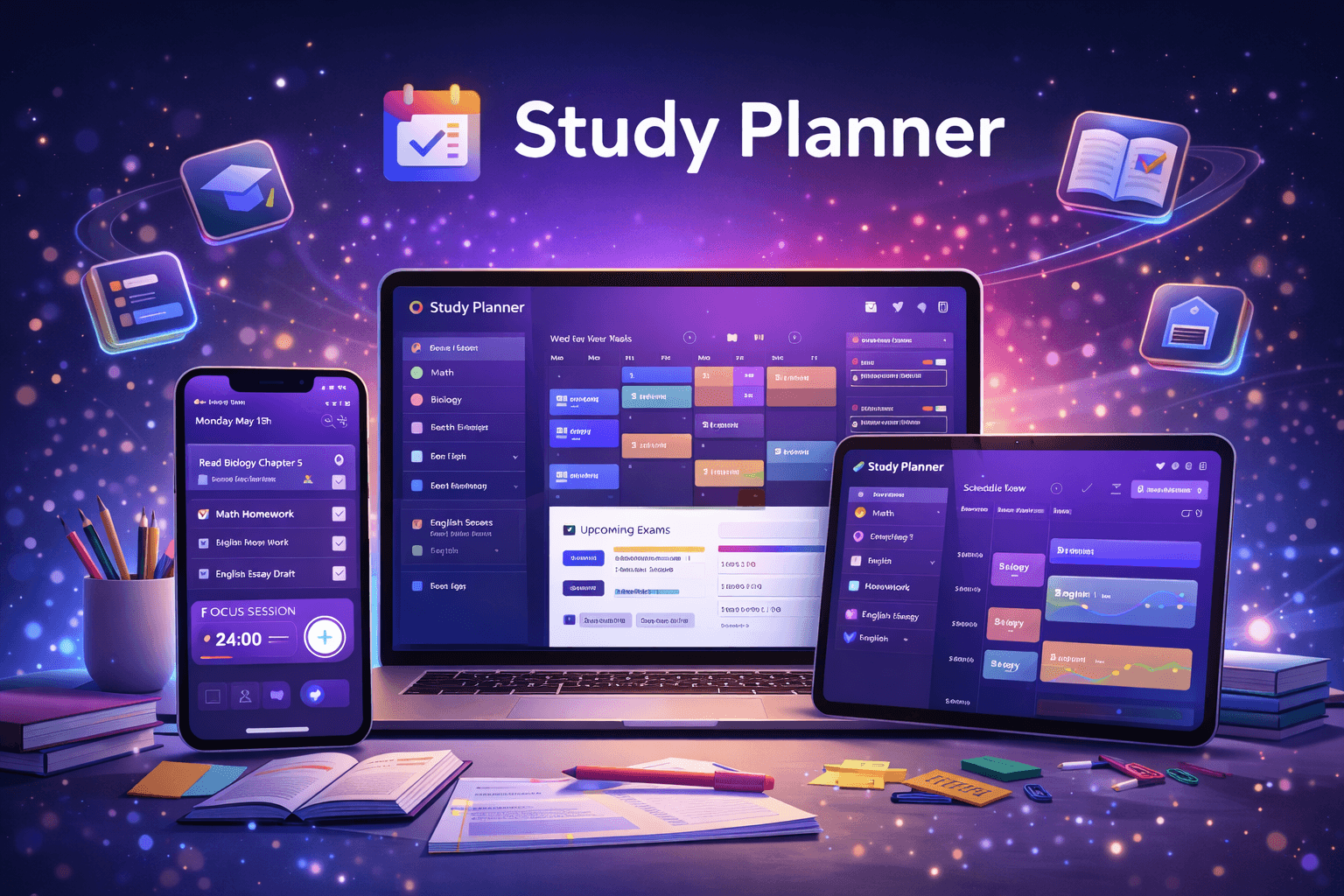
Study Planner is a focus-first planning system packaged as a customer-ready story—turning messy deadlines into clear next actions without overplanning or guilt loops. I translated student + workflow needs into a clarity-first journey (capture → prioritize → schedule → progress → adjust), then built the supporting UX system (flows, states, components, and rules) so the value is easy to explain, easy to demo, and easy to ship.
Instead of “more features,” the system prioritizes decision clarity + resilience: 1–3 daily priorities, frictionless rescheduling, and full edge-state coverage (empty/loading/error/recovery) so progress continues even on imperfect days. Deliverables were designed for reuse (components, variants, specs) so teams can iterate fast and scale consistently.
Timeline
3–5 weeks — Discovery → Journey/Flows → Hi-fi → Interactive demo → Validation loops → Handoff
Background
Students don’t drop off because they lack ambition—they drop off when planning becomes cognitive overload: too many tasks, unclear priorities, and the feeling that a missed day “resets” everything. Study Planner reduces decision fatigue with a clarity-first planning flow, fast feedback loops, and a component-driven UI system that scales—making progress feel simple, presentable, and repeatable.
Deliverables
Journey map • Flow diagrams • Interactive prototype • Deck-ready narrative • Component + state system
EEnd-to-end experience design built for customer storytelling: requirements → journey → deck/demo assets → prototype → handoff.
Designed to reduce decision friction and handle real-life variability (missed days, changing workload, low-energy moments).
1) Cross-functional + constraints
Partnered with PM + Engineering to translate study workflow constraints into a clear decision system: key moments, edge states, and handoff-ready behavior.
Aligned early on feasibility so the story, prototype, and build stay consistent.
2) Story templates / flows / diagrams
Used repeatable templates to produce journey maps, process flows, and concept diagrams—making the “before → after” narrative easy to grasp and reducing downstream rework.
3) Fast iteration
Moved quickly from flows → wireframes → hi-fi → interactive prototype.
Used feedback loops to refine clarity, hierarchy, microcopy, and reschedule/recovery behavior.
Research & Insights
Goal: understand why students drop off and what “good planning” feels like under pressure.
Ran quick interviews + lightweight survey to map pain points (overplanning, unclear priorities, guilt loops).
Synthesized into 2–3 JTBD and success metrics: faster task selection, fewer “what now?” moments, higher perceived control.
Key insight: students don’t need more reminders—they need a system that reduces decisions and supports recovery.
IA & User flows
Designed the experience around decision moments (not screens):
Capture tasks → prioritize (1–3 focus slots) → schedule (time blocks) → daily check-in → reschedule/recover
Defined system states: empty/loading/error/recovery for predictable behavior
Built a Today-first information hierarchy to keep attention narrow and action-oriented (calm + demo-friendly)
Design, prototyping & iteration
Started low-fi for structure, then moved to hi-fi with accessible typography + reusable components
Prototyped key interactions: quick prioritization, one-tap reschedule, Minimum-Effort mode
Ran rapid validation loops to improve clarity, comprehension, and confidence under constraints
Handoff-ready specs
Documented components, variants, spacing, and edge states for consistent implementation
Provided interaction notes (missed-day logic, reschedule rules, error handling)
Packaged as a demo-ready narrative + reusable system for scalable reuse
Deliverables
Journey map • Flow diagrams • Story beats/deck • Interactive prototype • Component + state library • Handoff specs
Smart task breakdown
Converts high-level goals (e.g., “Finish Chapter 5”) into sequenced, doable steps with effort estimates + time blocks. Adds context (deadline, difficulty, dependencies) so planning stays light and execution stays realistic.
Impact → less overwhelm • clearer starting point • faster follow-through
Focus-first Today view
A single screen built for fast decisions and consistent follow-through:
Top 1–3 priorities with a short “why this matters” cue
Time blocks + Next Best Action (clarity-first CTA)
Progress + predictable states (empty/loading/error/recovery) to keep the UI stable
Momentum microcopy (actionable, non-judgmental, zero guilt language)
Recovery and rescheduling
When users miss a day, the system supports graceful recovery instead of reset:
One-tap reschedule based on remaining days + available time
Minimum-Effort Mode (short, realistic plan to restart momentum)
Non-punitive progress logic with clear next steps after slip-ups
Handoff-ready edge cases (missed day, overload day, incomplete task, schedule conflicts)
“Designed a focus-first study planner that reduces overwhelm, helps students start faster, plan realistically, and stay consistent—through clarity-first priorities and recovery for imperfect days.”
Faster planning, more doing
Moved users from manual scheduling to a guided breakdown + Next Best Action model in a single-screen Today view.
Impact → faster task selection • fewer “what now?” moments • quicker start-to-study behavior
Better consistency through recovery
Designed one-tap reschedule, Minimum-Effort Mode, and non-punitive progress logic so missed days don’t feel like a reset.
Impact → stronger return-to-plan behavior • more completed sessions even on low-energy days
Higher confidence and clarity
Made priorities visible with 1–3 focus slots, clear time blocks, and predictable edge states (empty/loading/error/recovery) so the system stays calm and understandable.
Impact → higher perceived control • studying feels manageable, not chaotic • easier iteration from feedback