END-TO-END UX — research → flows → hi-fi → prototypes → handoff
FOCUS-FIRST STUDY PLANNER
Focus-first planning that turns messy deadlines into clear next actions.
Built for fast iteration with reusable components, edge states, and handoff-ready specs.
Process flows • wireframes → hi-fi mockups • prototypes • visual specs • usability findings • cross-functional collaboration
Metrics: 8 screens • 10 components • iterations • usability checks
ROLE
UX Designer
EXPERTISE
UX/UI Design • Prototyping • Design Systems • Usability
YEAR
2024
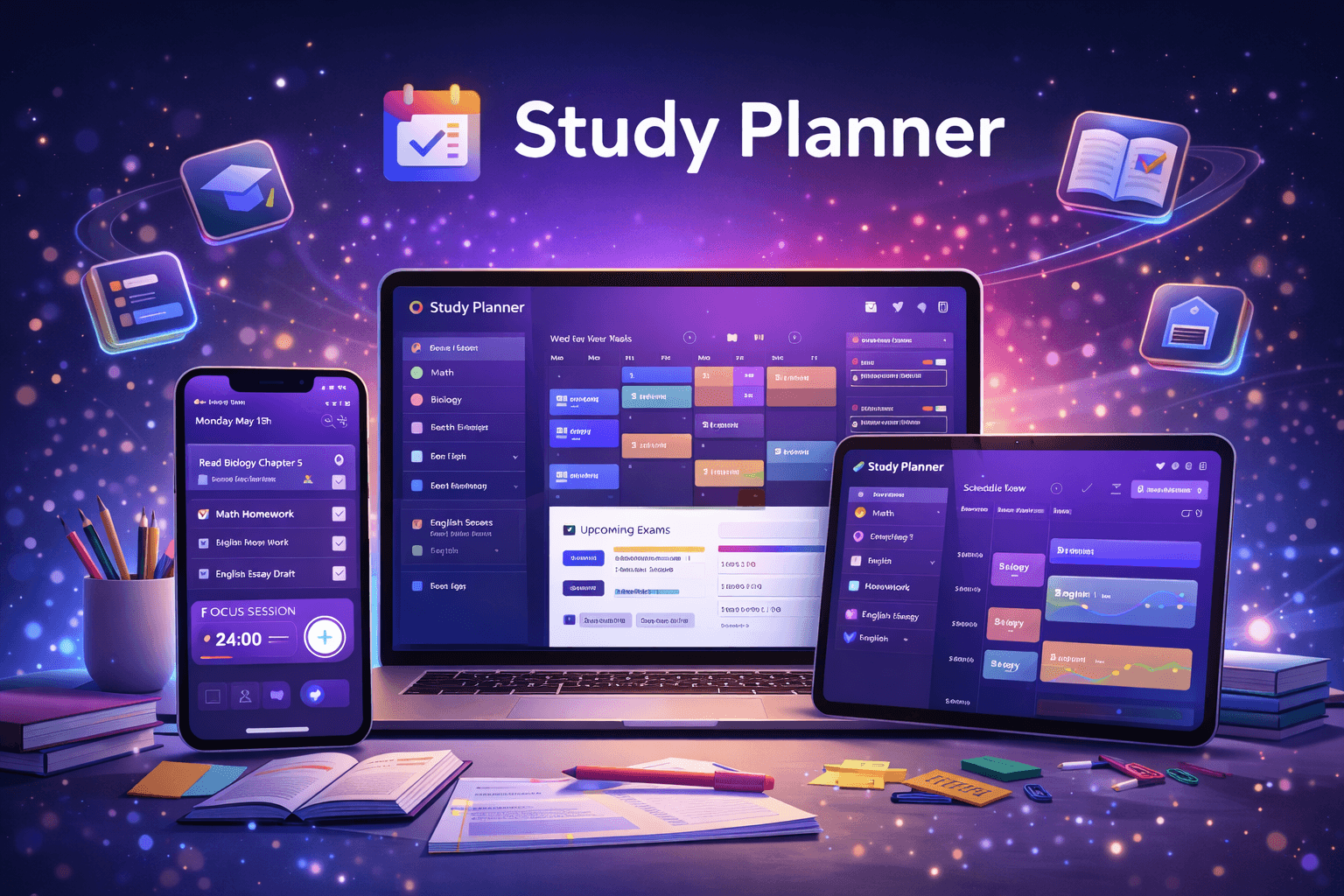
Study Planner is a focus-first planning system that helps students turn messy deadlines into clear next actions—without overplanning or guilt loops.
Instead of “more features,” it prioritizes clarity, consistency, and recovery: 1–3 daily priorities, frictionless rescheduling, and edge states (empty/loading/error) that keep momentum even on imperfect days.
Timeline
3–5 weeks (discovery → flows → hi-fi → prototype → handoff)
Background
Students don’t fail because they lack ambition—they fail because planning becomes cognitive overload: too many tasks, unclear priorities, and “missed day = reset” mental model. Study Planner reduces decision fatigue with a clarity-first planning flow, quick loops, and a component-driven UI that scales.
I followed an end-to-end UX workflow focused on reducing decision friction and designing for real-life variability (missed days, changing workload, low-energy days).
1) Cross-functional + constraints
Partnered with PM + Engineering to translate [study workload + time constraints] into user flows, edge states, and handoff-ready specs—shipping under real technical constraints.
2) Templates/flows/diagrams
Used templates to rapidly produce process flows, conceptual diagrams, and IA—aligning stakeholders early and reducing rework downstream.
3) Fast iteration
Iterated quickly on flows → wireframes → hi-fi mocks → prototypes, incorporating feedback, usability signals, and feasibility constraints to refine the planning.
Research & Insights
Goal: understand why users drop routines and what “good planning” feels like.
Quick interviews + lightweight survey to map pain points (overplanning, unclear priorities, procrastination loops).
Synthesized findings into Jobs-to-Be-Done + success metrics: faster task selection, fewer “what now?” moments, higher perceived control.
Key insight: users don’t want more reminders—they want a system that chooses the next action and supports recovery.
IA & User flows
Mapped core flow: onboarding → capture tasks → prioritize (1–3) → schedule → daily check-in → reschedule/recovery.
Defined system states: empty / loading / error / recovery for predictable behavior.
Created information hierarchy for “Today” to keep attention narrow and action-oriented.
Design, prototyping & iteration
Low-fi wireframes → hi-fi UI with accessible typography + reusable components.
Built clickable prototype for key interactions: quick prioritize, one-tap reschedule, minimum-effort mode.
Tested via short usability loops; iterated copy + hierarchy + interaction details based on confusion points and constraints.
Handoff-ready specs
Documented components, variants, spacing, and edge states for implementation clarity.
Provided interaction notes (what happens on missed day, reschedule rules, and error handling) to reduce back-and-forth with engineering.
Study Planner turns academic overload into a calm, clarity-first workflow—so users always know what to do next, even when plans change.
1) Design system contribution
Built reusable components + variants (tokens, layout rules, states) and contributed patterns to a scalable design system for consistent UI across features.
2) Prototyping + spec handoff
Delivered clickable hi-fi prototypes + clean specs (redlines, variants, empty/loading/error/recovery) and supported implementation with dev collaboration + QA.
Smart task breakdown
Converts high-level goals (e.g., “Finish Chapter 5”) into sequenced, doable steps with estimated effort and time blocks. Adds context (deadline, difficulty, dependencies) to reduce planning friction and keep execution realistic.
Focus-first Today view
A single screen designed for fast decision-making and follow-through:
Top 1–3 priorities with a clear “why this matters” cue
Time blocks + next best action (clarity-first CTA)
Progress + status states (empty/loading/error) that keep the UI predictable
Microcopy built for momentum (actionable, non-judgmental, no guilt language)
Recovery and rescheduling
When users miss a day, the system supports graceful recovery instead of reset:
One-tap reschedule based on remaining days + available time -
Minimum-effort mode (short, realistic plan to restart momentum) -
Non-punitive streak logic + clear next steps after slip-ups -
Handoff-ready edge cases (missed day, overloaded day, incomplete task, conflicts)
“Designed a focus-first study planner that reduces overwhelm and helps students start faster, plan realistically, and stay consistent—through clarity-first priorities and a recovery system for imperfect days.”
Faster planning, more doing
Moved users from manual scheduling to guided breakdown + “Next Best Action” and a single-screen Today view.
Impact → faster task selection, fewer “what now?” moments, quicker start-to-study behavior.
Better consistency through recovery
Designed one-tap reschedule, minimum-effort mode, and non-punitive streak logic so missed days don’t feel like a reset.
Impact → higher return-to-routine behavior, more completed sessions even on low-energy days.
Higher confidence and clarity
Made priorities visible with 1–3 focus slots, clear time blocks, and predictable edge states (empty/loading/error/recovery).
Impact → higher perceived control, studying feels manageable instead of chaotic; easier to iterate based on feedback.